Menu

Description about IUEditor Menu Bar
IUEditor
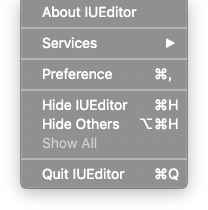
About IUEditor: Show IUEditor’s version info.Preference: Open IUEditor Preference window.
File
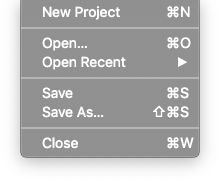
New Project: Open New Project window.Open: Open Finder to find IU Project file to open.Open Recent: Open recent IU Project file.Save: Save the current project.Save As: Save the current project under a different name.Close: Close current project.
Project
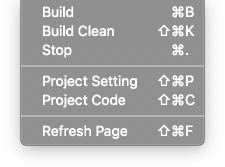
Build: Generate HTML & CSS & JS files based on IU Project.Build Clean: Clean build data. It can fix program error.Stop: Stop the build.Project Setting: Open Project Setting panel.Project Code: Open Project Code panel.Refresh Page: Refresh current page. It can fix program error.
View
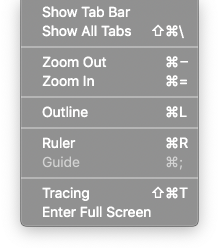
Show Tab Bar: Show the tab bar.Show All Tabs: Show the entire tab.ZoomOut: Zoom Out stage.ZoomIn: Zoom In stage.Outline: Show or hide outline of widgets in canvas.Ruler: Show or hide ruler on canvas.Guide: Show or hide guide on canvas.Tracing: Show or hide tracing image on canvas.Enter Full Screen: Switch to full screen.
Window
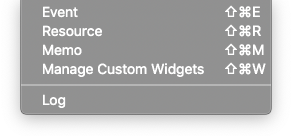
Event: Open Event panel.Resource: Open Resource panel.Memo: Open Memo panel.Manage Custom Widgets: Open Manage Custom Widgets Panel.Log: Open log panel.
Help
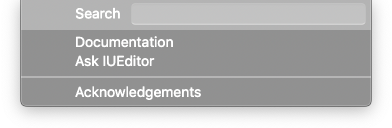
Search: Search IUEditor function.Documentation: Open IUEditor Manual page in the browser.Ask IUEditor: Go to the webpage to ask questions about the program.Acknowledgements: Show information about the APIs used in the program.